Describe your part: type what you need, get a drawing and a price
You need a part cut. A plate with a few holes, maybe a gasket or a bracket. You know the sizes. What you don't have is a drawing, or the CAD software to make one.
Describe your part fixes that. Type what you need in plain words, with sizes in mm. We draw it. You check it, change it and save it. Then it prices like any uploaded file.
How it works
Go to the quote page. In the upload box, choose Describe your part. The homepage has the same button. Type what you need into the box and press Draw it.
The drawing is made by Claude, an AI model made by Anthropic. What you get back is a clean drawing, with every size laid out for you to check.
Here's a motor mounting plate. We typed: "A 300 × 150 mm motor mounting plate with a 10 mm hole 15 mm in from each corner, and a 52 mm hole in the middle with four 6 mm holes on a 70 mm circle around it."
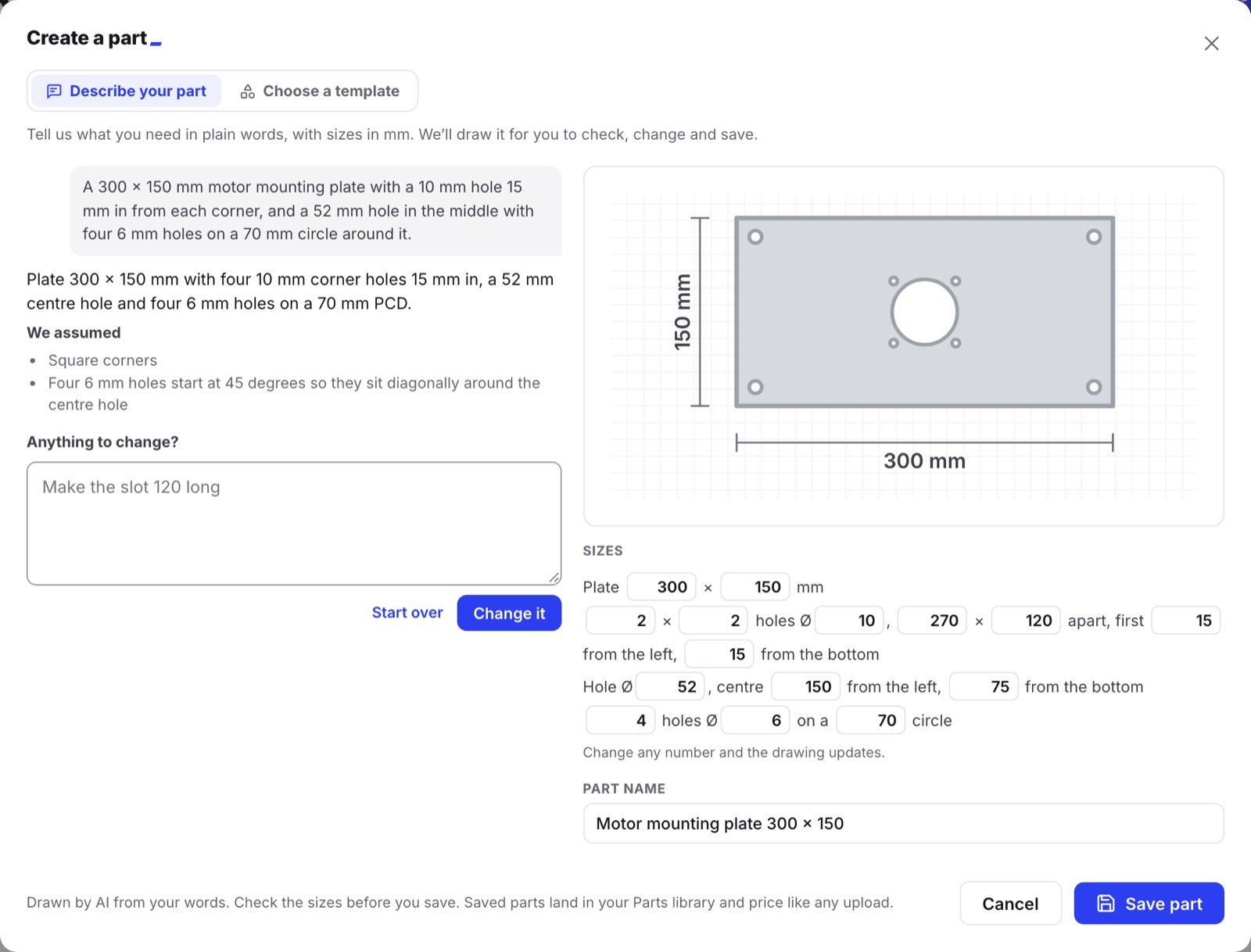
The drawing appears on the right, with a short summary under your words. A list headed "We assumed" shows anything it had to assume. Here it assumed square corners, and that the four 6 mm holes start at 45 degrees.
Below the drawing, every size is a number you can edit: the plate, the corner holes, the centre hole and the hole circle. Change any number and the drawing updates.
Change it in words
Something wrong or missing? Type the change in the same box, under "Anything to change?" This time we typed: "Round the corners to 10 mm and add a 40 × 10 mm slot near each short end."
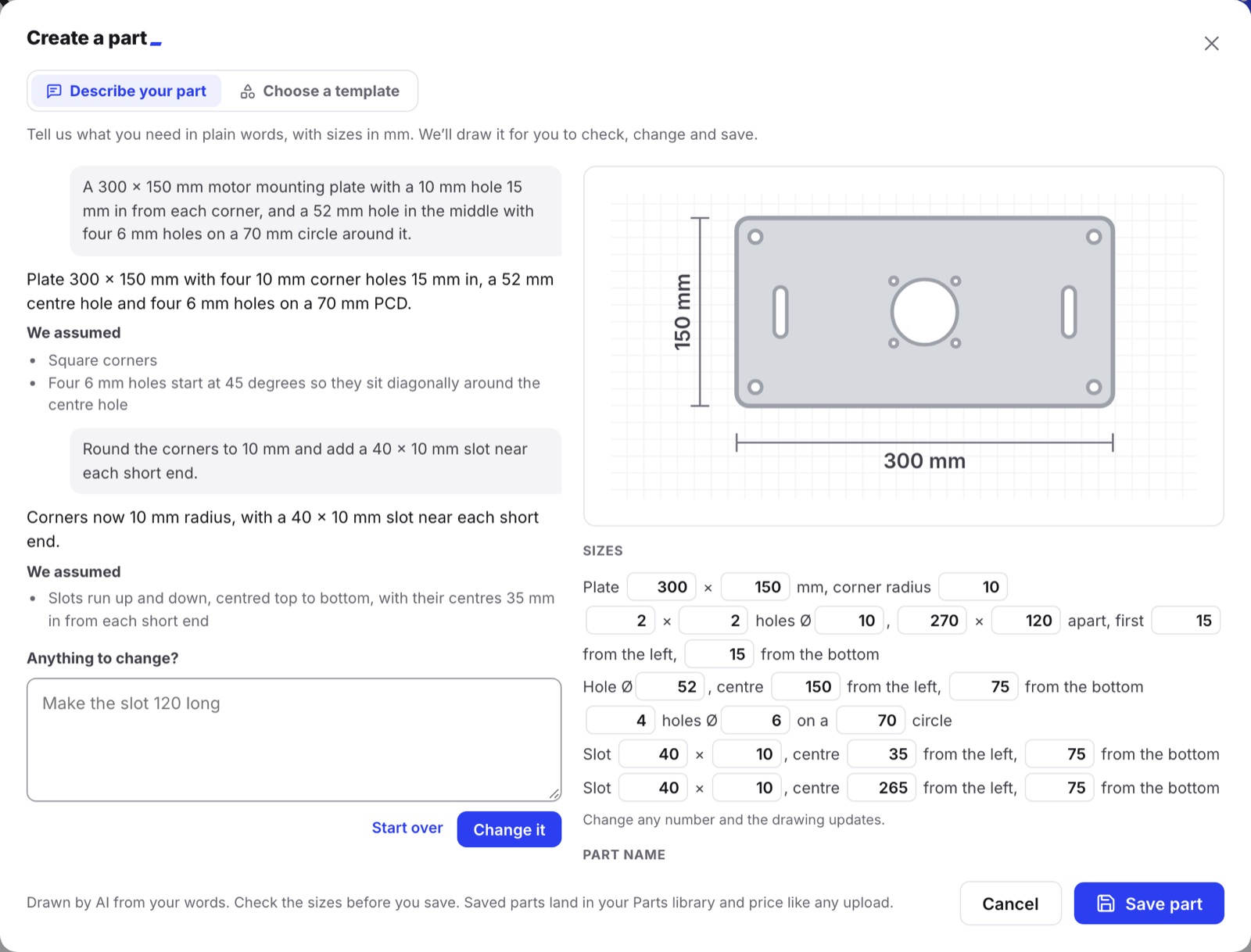
The corners are rounded and there's a slot near each end. The sizes list gained a corner radius and two slot rows, so each slot can be moved or resized by number.
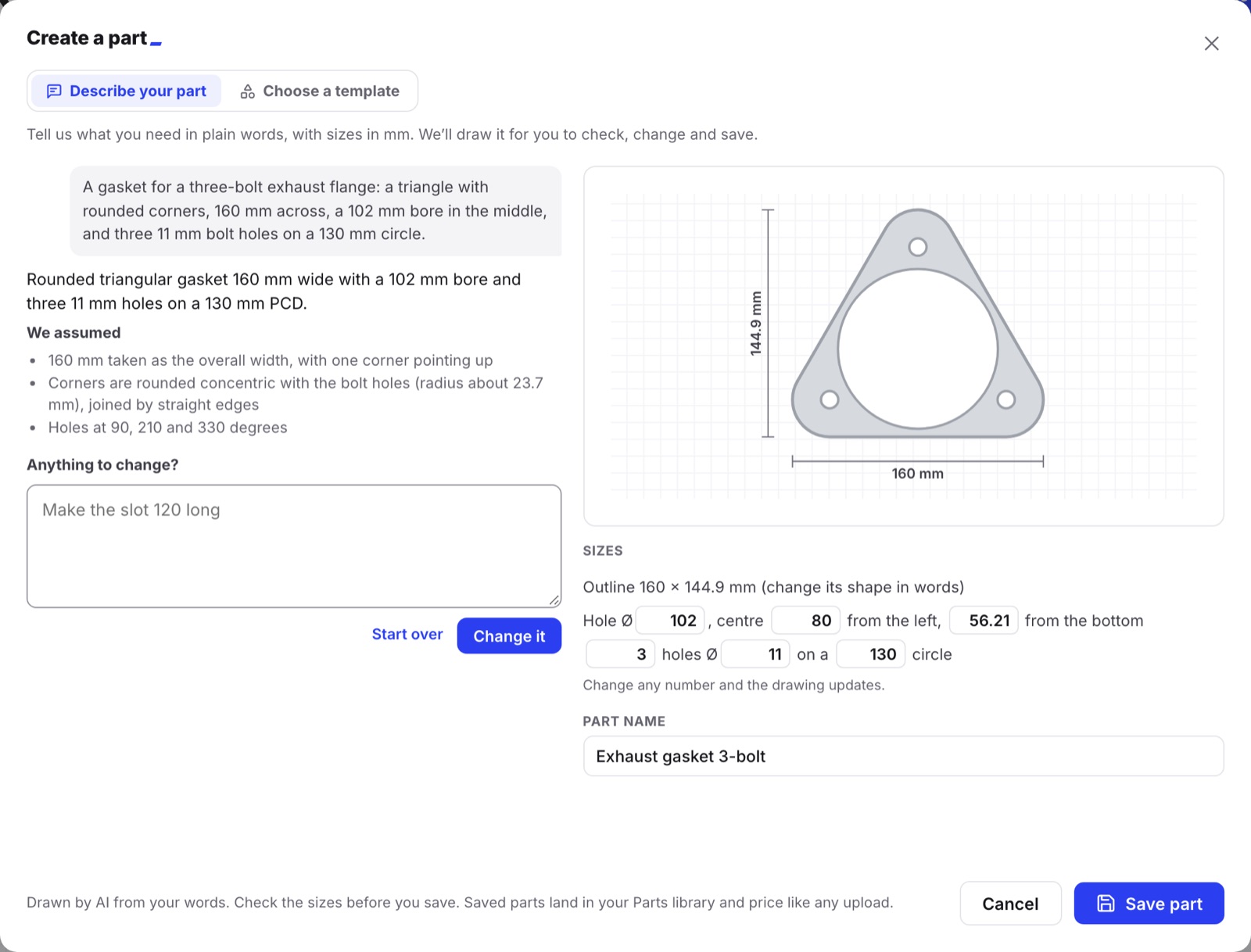
Curves work too. This one is a gasket for a three-bolt exhaust flange: "a triangle with rounded corners, 160 mm across, a 102 mm bore in the middle, and three 11 mm bolt holes on a 130 mm circle."
It asks instead of guessing
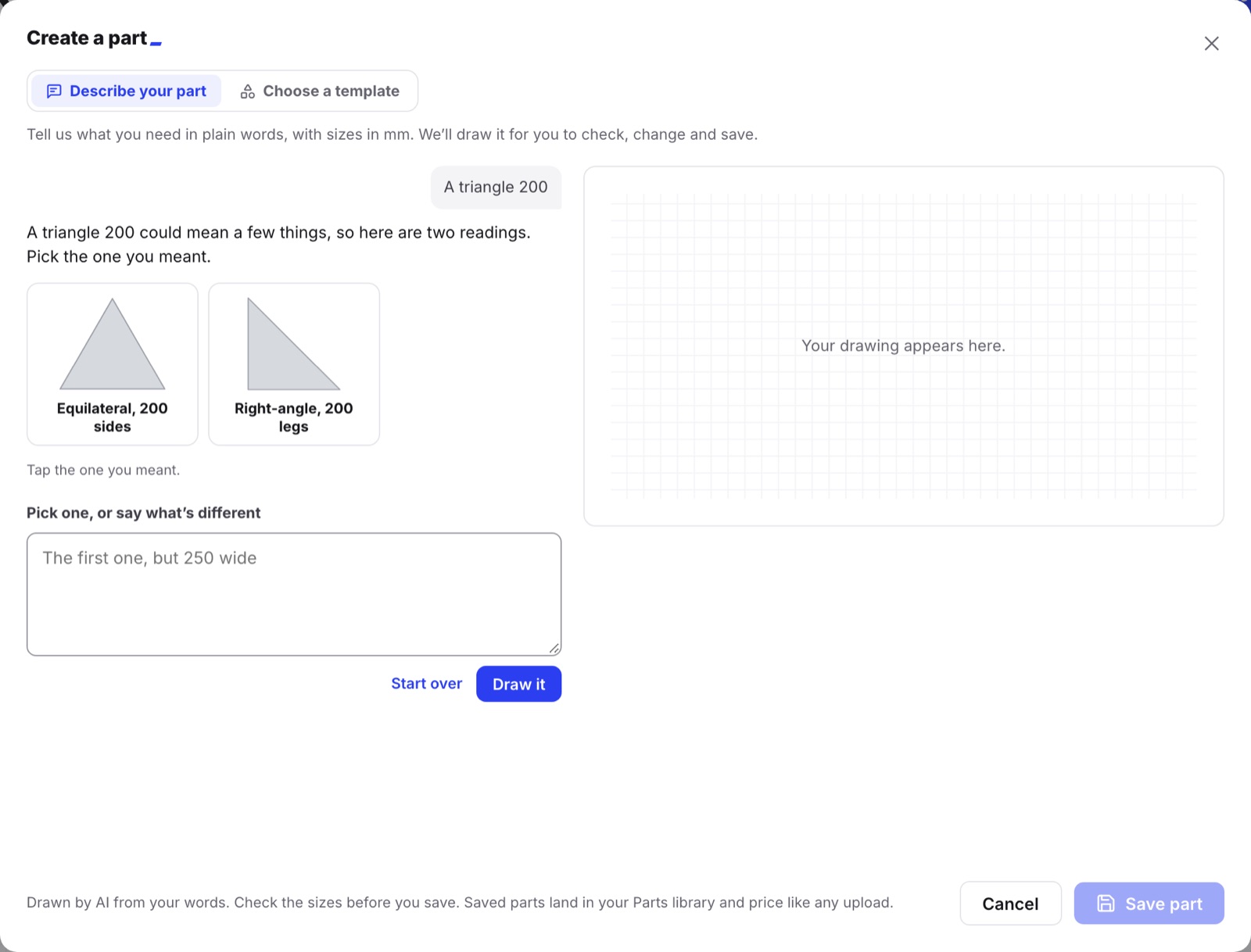
If a main size is missing, it asks you a question. If your words fit more than one shape, it shows two or three small drawings to pick from. It doesn't guess.
We typed just "A triangle 200". That could mean a few things. So it offered two: an equilateral triangle with 200 mm sides, or a right-angle triangle with 200 mm legs. Tap the one you meant, or say what's different.
From drawing to price
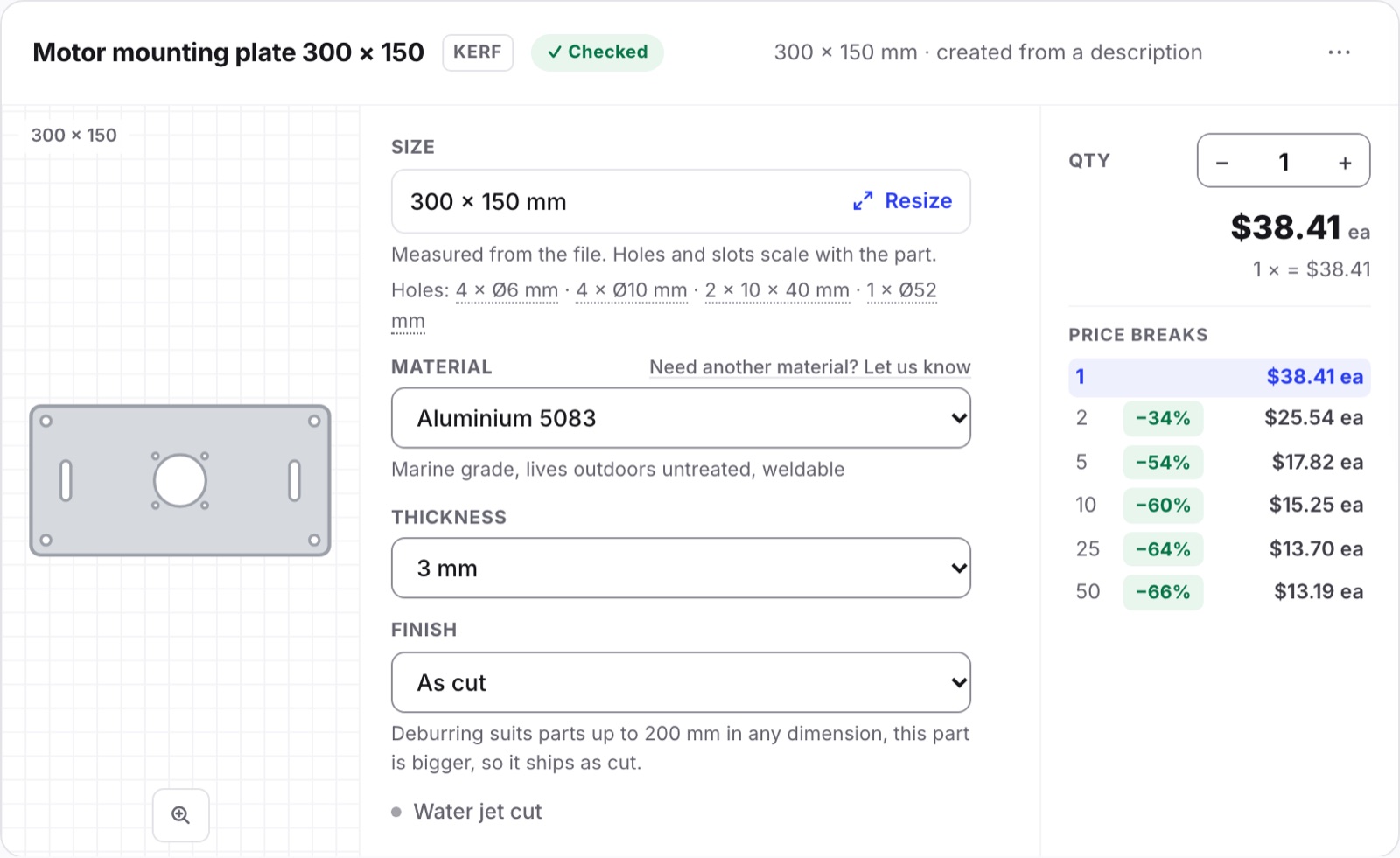
When the drawing looks right, press Save part. The part lands on your quote, priced like any uploaded file. Pick the metal, the thickness, the finish and the quantity. Price breaks show what it costs when you order more. The part is also saved in your Parts library, ready for next time.
Here's the plate in Aluminium 5083, 3 mm thick, as cut. When we priced it, one was $38.41 and fifty were $13.19 each.
Every part is checked before cutting. Parts are cut in Melbourne and posted anywhere in Australia.
What it can draw
- Flat parts with straight edges, rounded corners, curves and arcs.
- Round holes, slots, and rectangular or shaped cut-outs.
- Bolt circles and hole grids.
What it can't draw
- 3D or bent parts.
- Text and lettering.
- Artwork or logos.
- Gears.
A part must also fit a 3000 × 1500 mm sheet. When it can't draw something, it tells you. Then it offers two ways forward: Upload a file, or Email a sketch to hello@kerf.au.
Speed, limits and privacy
Most parts take a few seconds to draw. Curved shapes can take up to about half a minute.
Without an account, you get three drawings a day. Signing in is free and gives you twenty a day.
Your words are sent to Anthropic to draw the part. Anthropic doesn't use them to train its models. The details are in our privacy policy.
Already have a drawing?
Then upload it. That's still the quickest way. DXF, DWG, SVG, AI, PDF, STEP, IGES and EPS files are priced in seconds. For a plain plate, disc, gasket or bracket, a template sizes one to your numbers.
But if all you have is the sizes in your head, type them in. We'll draw the part, and you'll see what it costs.
No drawing? Describe it
Type what you need in plain words, with sizes in mm, and we'll draw it for you to check.